Your whole holding at a glance: fields, procurement and budget in one place
Agromium shows where your fields have problems, who is buying what and why, and where the season is going over budget. No more twenty spreadsheets, Viber chats and retyped invoices.
01An invoice arrives in Viber. It gets printed, signed and retyped into 1C. Six months later, nobody remembers which tractor those filters were for.
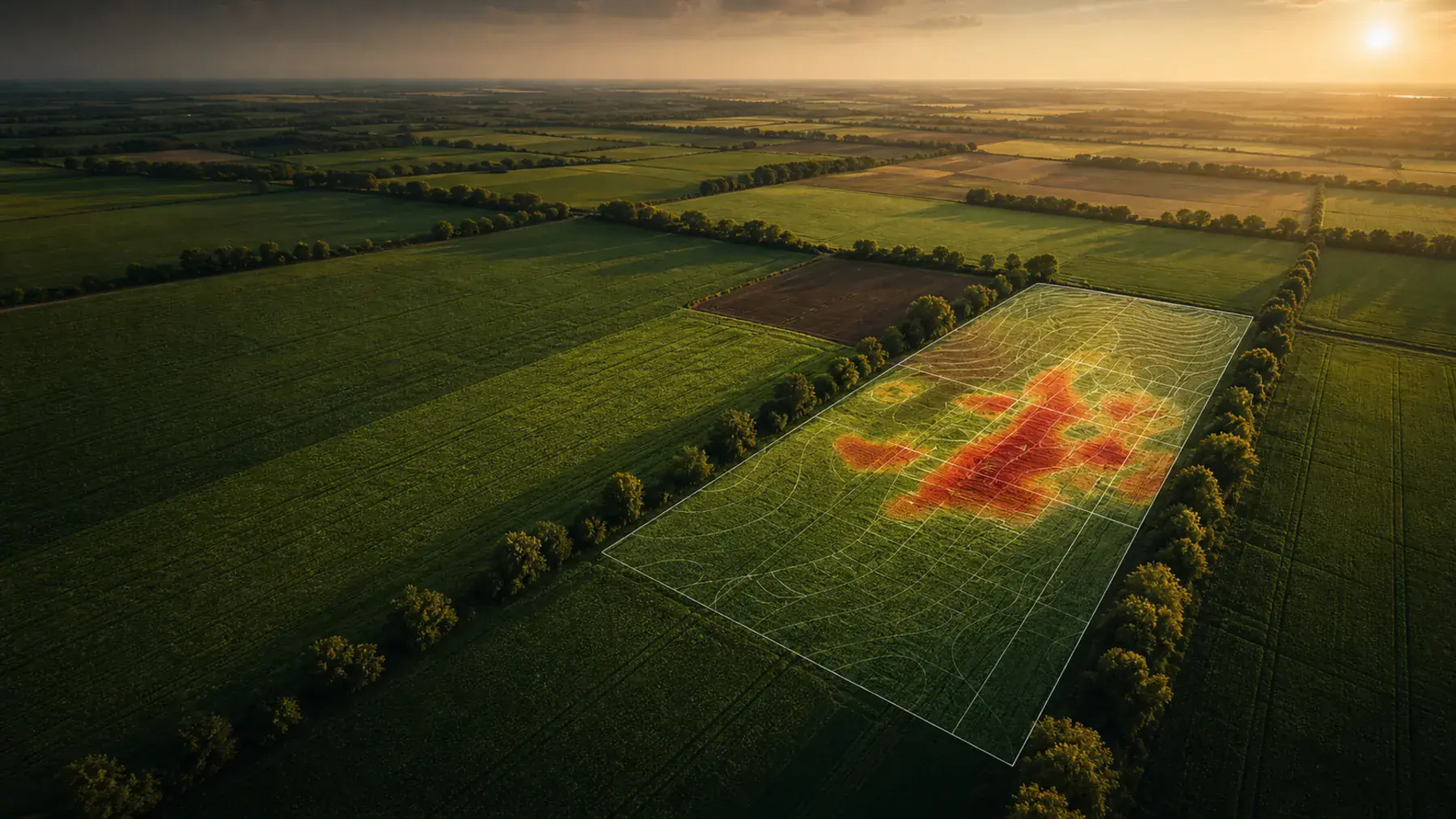
02The agronomist drives the whole field to find two problem spots. Or doesn’t.
03You find out in July that the spare parts budget has run out, with two months of harvest still to go.
04To see what is happening on one field, you have to open five programs and call two people.
What changes
01 Documents
Nobody retypes invoices anymore
AI reads and checks the invoice and works out which company in the holding and which machine it is for. Cropwise Operations receives tables that match the invoice to the cent. Faster than anyone could retype it.
A photo, scan, PDF or a supplier’s Excel sheet — through Telegram or the web. The same file never gets in twice.
Supplier, tax ID, IBAN, number and date, and on every line the part number, quantity, price and amount. The original is always alongside, so any value is easy to check.
Quantity × price, the sum of lines, VAT, the total due and the IBAN checksum. When something is off, you see what it should be and what is printed.
The holding’s company by the buyer’s tax ID. The supplier by its code, with no duplicates. The tractor by the VIN on the invoice. Warehouse, item and units by part number.
Once approved, the goods receipt and the tractor repair appear in Cropwise Operations with the original invoice attached. Amounts match to the cent. If someone edits them there by hand, Agromium never silently overwrites it.
ТОВ «Агротехсервіс» · АТС-02417Uploaded
Постачальник
ТОВ «Агротехсервіс»
Код ЄДРПОУ 41837265
Р/р UA31 3052 9900 0002 6007 0150 0123 4
АТ КБ «Демобанк»
м. Полтава, вул. Заводська, 14
Покупець
ТОВ «Агро-Схід Полтава»
Код ЄДРПОУ 38412907
Р/р UA33 3204 7800 0002 6002 9248 5901 7
Рахунок на оплату № АТС-02417 від 02 жовтня 2026 р.
Для трактора John Deere 8R 410, VIN 1RW8410RHMD012345, держ. № ВІ 4712 АК
№
Артикул
Товар
Од.
К-сть
Ціна без ПДВ
Сума без ПДВ
1
RE504836
Фільтр масляний двигуна
шт
6
1 240,00
7 440,00
2
RE533910
Фільтр паливний тонкого очищення
шт
6
1 860,00
11 160,00
3
RE587793
Фільтр повітряний основний
шт
4
4 350,00
14 700,00
4
PL50-208
Олива моторна Plus-50 II, бочка 208 л
шт
2
61 025,00
122 050,00
Разом без ПДВ:155 350,00
ПДВ 20%:31 070,00
Всього з ПДВ:186 420,00
Всього найменувань 4, на суму 186 420,00 грн. Сто вісімдесят шість тисяч чотириста двадцять гривень 00 копійок У т.ч. ПДВ: 31 070,00 грн. Умови оплати: передоплата 100%, рахунок дійсний 3 банківські дні
Accepted: photo.jpg. Recognition started — the status will arrive as a notification.
Processing
Intakenow
Recognitionahead
Classificationahead
Extractionahead
Checkingahead
Intake
1Take a photo — that’s it
A photo, scan, PDF or a supplier’s Excel sheet — through Telegram or the web. The same file never gets in twice.
2AI reads every line
Supplier, tax ID, IBAN, number and date, and on every line the part number, quantity, price and amount. The original is always alongside, so any value is easy to check.
3Mistakes show up before anyone signs
Quantity × price, the sum of lines, VAT, the total due and the IBAN checksum. When something is off, you see what it should be and what is printed.
4It knows whose invoice it is and what for
The holding’s company by the buyer’s tax ID. The supplier by its code, with no duplicates. The tractor by the VIN on the invoice. Warehouse, item and units by part number.
5Into Cropwise Operations, no retyping
Once approved, the goods receipt and the tractor repair appear in Cropwise Operations with the original invoice attached. Amounts match to the cent. If someone edits them there by hand, Agromium never silently overwrites it.
1 / 5
Invoice, supplier, machinery and amounts are invented.
Invoice, supplier, machinery and amounts are invented.
02 Money
Every purchase comes with a reason and a signature
The mechanic says what is needed and for which machine. Those responsible approve, and procurement compares supplier offers. Your holding decides who signs and in what order. Before buying, you see whether another farm in your group has it in stock.
Approval chain
Zarichchia · Engineering
Approved
3 of 3 points
1
Approved · 3 Oct 2026, 09:141 pt
2
Approved · 3 Oct 2026, 09:141 pt
3
Approved · 3 Oct 2026, 11:021 pt
See overspending before it happens
The season budget is split by farm and cost item. Planned, approved and paid amounts are shown separately. The forecast includes exchange rate effects and your price scenarios for fuel, fertiliser and crops. Overspending shows up right after approval, while you can still change course.
Cost forecast by item
Plan remainder rule: plan minus exposure
Fertilisers
58.0M ₴
0 ₴
0 ₴
780K ₴
58.0M ₴
58.7M ₴
-650K ₴
Diesel fuel
31.0M ₴
0 ₴
0 ₴
0 ₴
31.0M ₴
31.0M ₴
0 ₴
Seeds
22.0M ₴
0 ₴
0 ₴
450K ₴
22.0M ₴
22.4M ₴
-375K ₴
Spare parts and repair
20.3M ₴
970K ₴
0 ₴
400K ₴
19.3M ₴
20.6M ₴
-333K ₴
Crop protection
16.0M ₴
0 ₴
0 ₴
0 ₴
16.0M ₴
16.0M ₴
0 ₴
One amount, four states, each shown on its own
ReservedThe request is approved: money is set aside for the need.
CommittedThe invoice is approved: there is an obligation to the supplier.
ActualThe goods have arrived: the spend is now a fact.
PaidThe payment order has gone through: the money has left the account.
03 Fields
Your agronomist goes where the problem really is
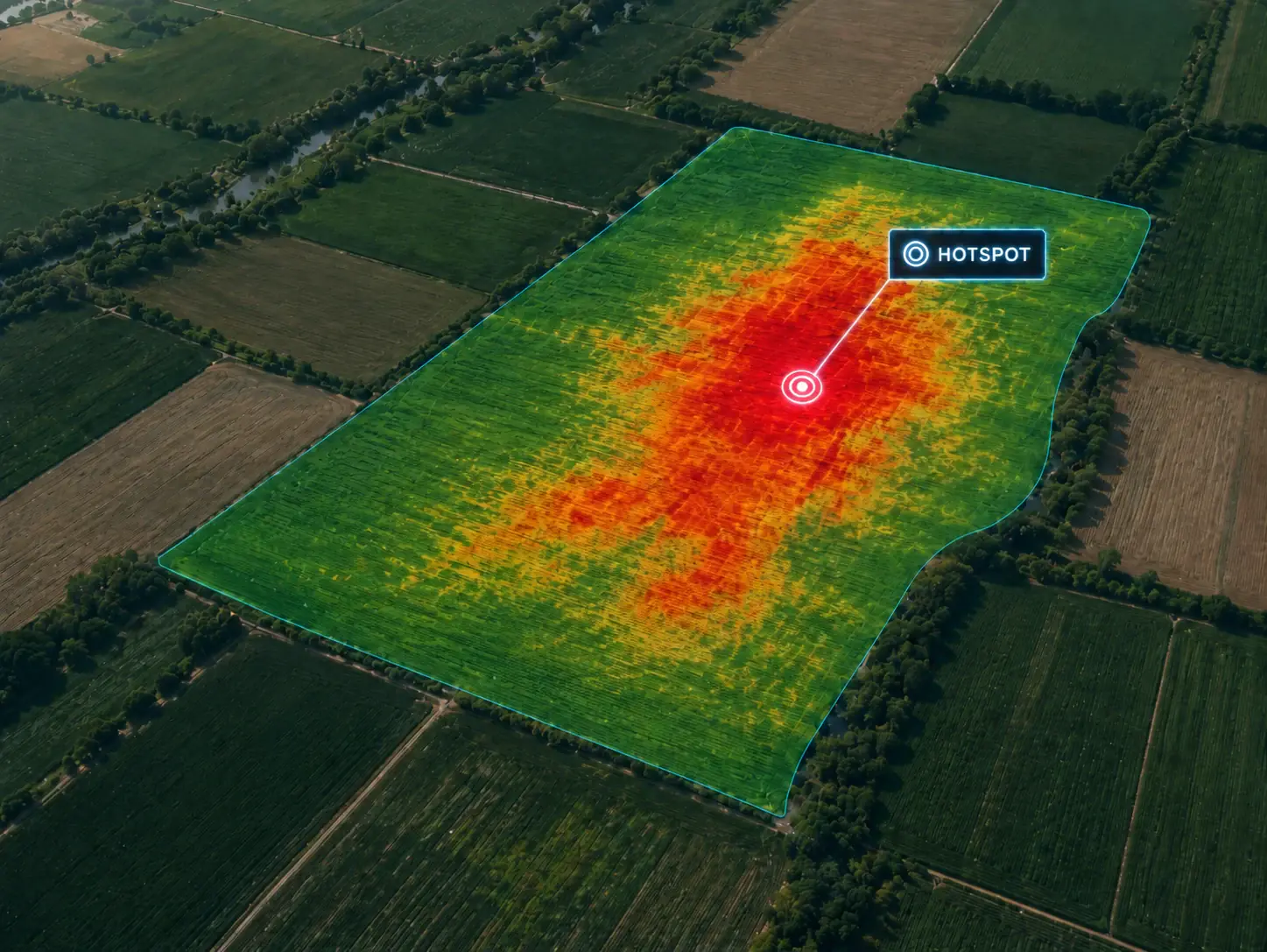
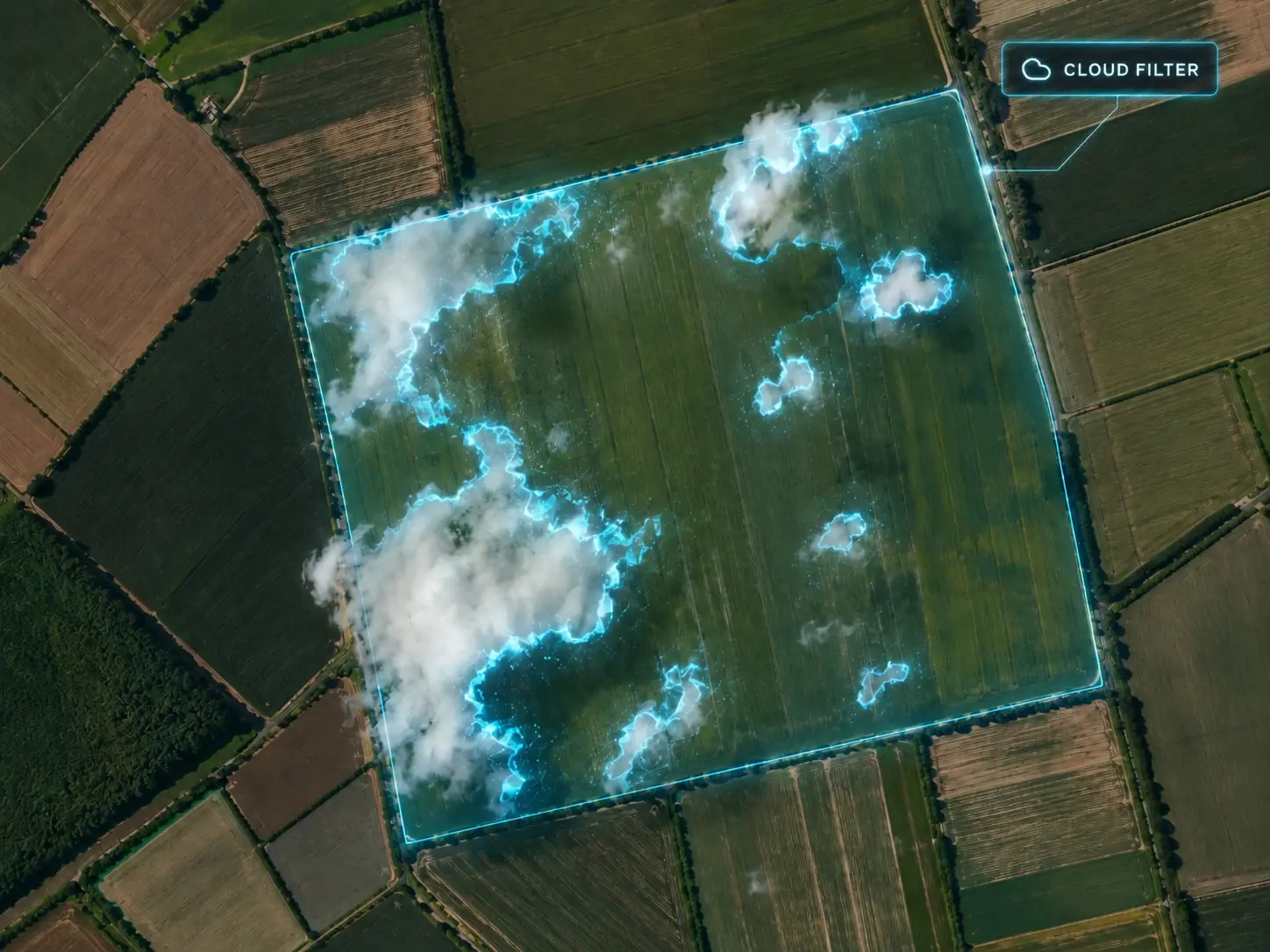
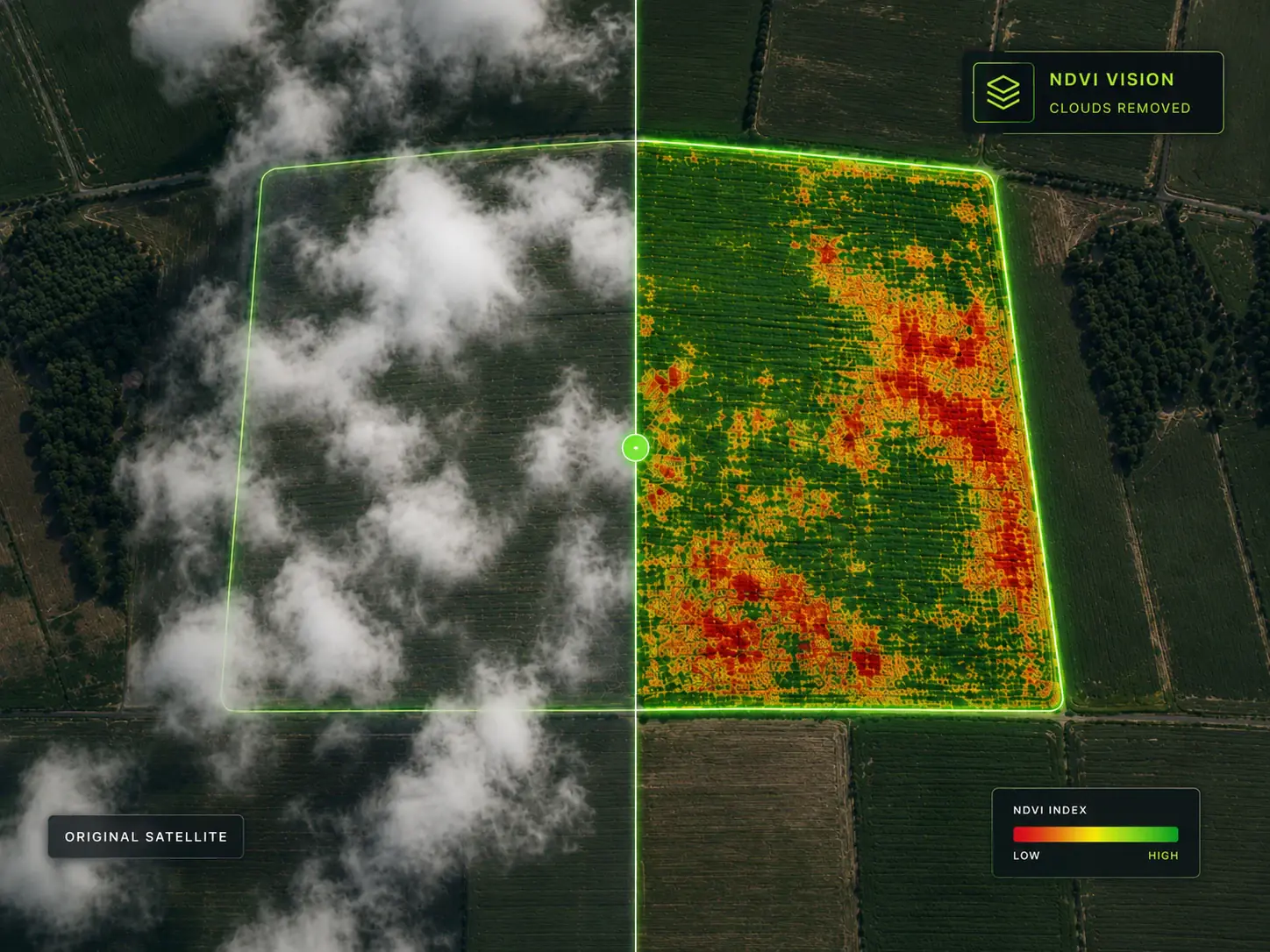
AI compares each zone with the rest of the field and ranks the lagging ones, worst first. It won’t mistake clouds or shadows for diseased crops, and a cloudy week doesn’t break monitoring. A report shows zones that underperform year after year, and the cost.
AI tips
Finds zones that deviate and ranks them by severity
Every inspection photo comes with a reading
The scout photographs the crop, and AI describes what each photo shows and what follows from it. The inspection gets a score and possible causes, with no diagnoses and no product names. The agronomist decides what to do next.
Photo 1
05.06.2026 10:42 · 49.214, 28.512
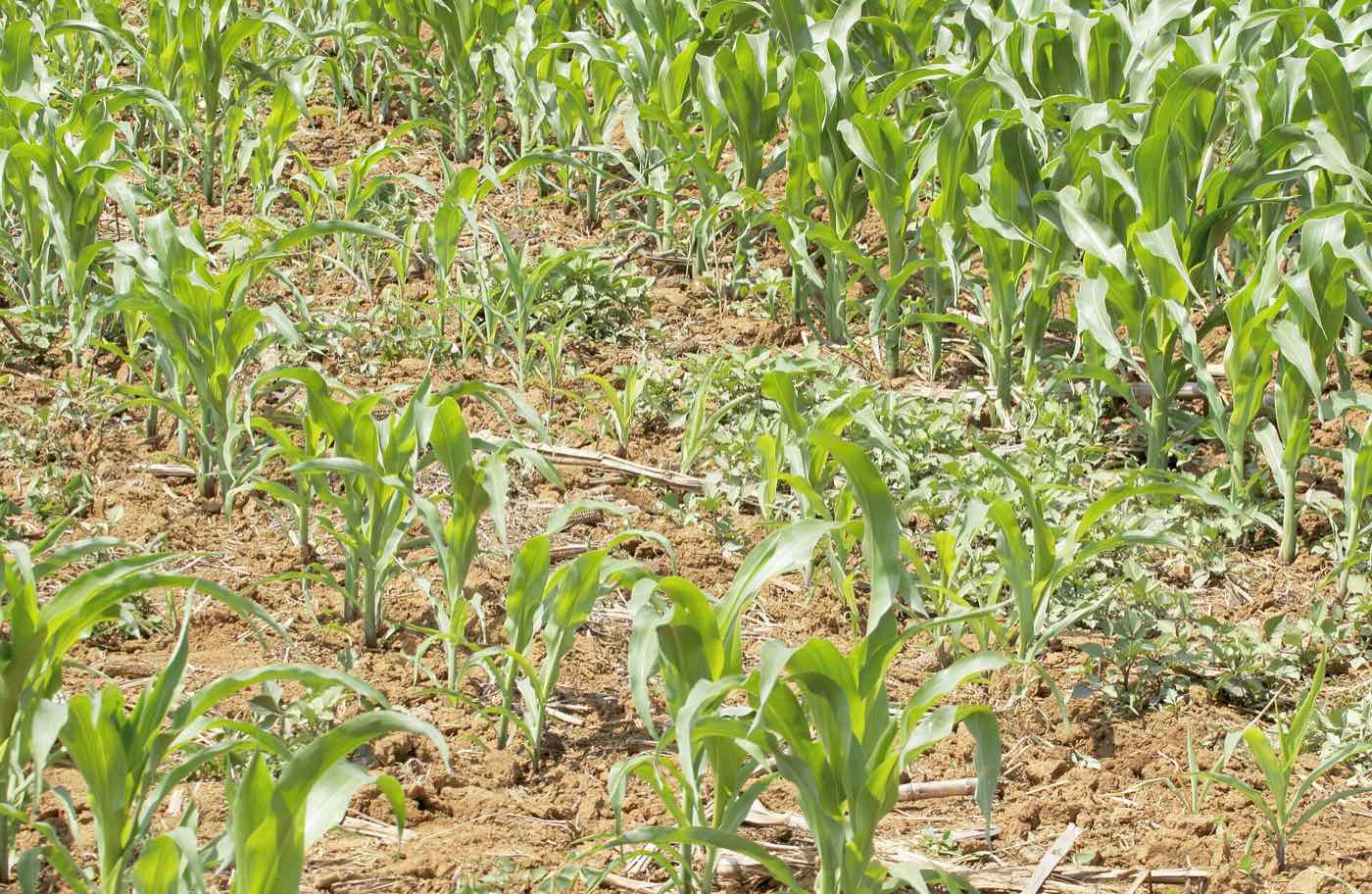
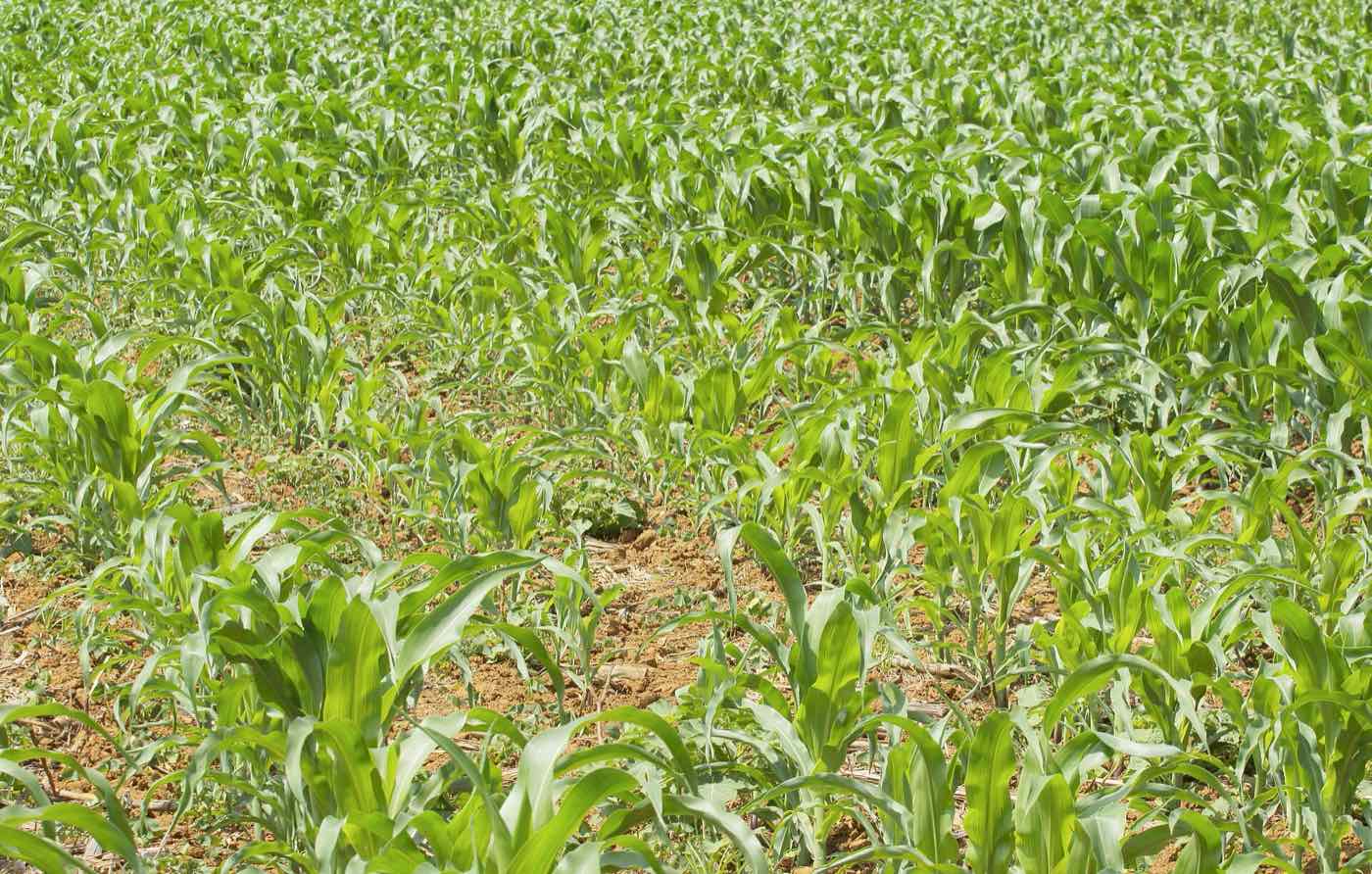
Maize at the 5–6 leaf stage. In the foreground the plants are short, with narrower, paler leaves and bare soil between them. Further into the field the stand is taller and denser, leaves deep green. The soil is dry and crusted, with small weeds here and there.
The lag comes in patches, not along rows, so it is more likely tied to the ground than to the sowing. Worth comparing the soil in the lagging and the normal zone.
The stand is uneven: in part of the field plants lag in growth and are paler, with soil showing through; next to them the stand is normal for its stage. No signs of disease or pests are visible in the photos, which does not prove they are absent. A soil test from both zones is missing for a conclusion.
Possible causes
Nutrient stress: paler leaves and patchy lag may be tied to soil conditions on that part of the field. A soil measurement in the lagging and the normal zone is needed.
Uneven development: the sharp boundary between zones may reflect a different tillage history of those parts.
Water stress: dry, crusted soil does not rule out a lack of moisture, but no leaf rolling is visible, so there is no confirmation.
Everything about a field on one screen you set up yourself
Imagery, weather, operations and scouting are on one page, not scattered across ten. You decide what to show and how large, so the director and the agronomist each see what they need.
Dovhe
Field info
Area
48.0 ha
Crop
Maize
Onyx
Season 2026
Apr 28
Sown · day 161
today · 1,820°
Apr 28
Group
Zarichchia
Field type
Standard
Productivity zone
Medium productive
Latest NDVI
0.62 · Oct 2
Last synced
Oct 5
2026Maize
2025Sunflower27.4 c/ha
2023/24Winter wheat59.6 c/ha
Map
NDVI now
Field median0.62Oct 2, 2026Oct 2
since Apr 280.18–0.90
Weather history
10°20°30°
07/0710/04
17 mmΣ 120 mm
Live demo: switch between the Manager and Agronomist tabs at the top.
The season is planned before machinery leaves the yard
Crops, previous crops, operations and dates for every field are combined in one plan. You can see which ten-day period will be short of machinery while you can still fix it. Your existing crop plans load from Excel, with no retyping.
Mechanics and storekeepers work in Telegram. They send a photo of the invoice and get back to work: the recognized document, remarks and approval progress arrive in the same chat. No calls to accounting.
Agromiumbot
Today
10:41
Ihor TkachenkoPhotoAccepted: photo.jpg. Recognition started — the status will arrive as a notification.10:41
📄 Recognized, ready for reviewInvoice #: АТС-02417
Date: 2026-10-02
Currency: UAH
Supplier: Agrotekhservis LLC
Supplier tax ID: 41837265
Subtotal (no VAT): 155350.00 UAH
VAT: 31070.00 UAH
Total due: 186420.00 UAH
⚠️ Validation findings:
• Line amount does not equal quantity × price: line 3 — 4 × 4350.00 = 17400.00, the invoice says 14700.00
File: photo.jpg
Contents confirmed ✅ The approval chain has started; you will be notified when it is your turn.
#
KIND
CODE
DESCRIPTION
UNIT
QTY
PRICE
AMOUNT
1
Goods
RE504836
Engine oil filter
pcs
6
1240.00
7440.00
2
Goods
RE533910
Fine fuel filter
pcs
6
1860.00
11160.00
3
Goods
RE587793
Primary air filter
pcs
4
4350.00
14700.00
4
Goods
PL50-208
Engine oil Plus-50 II, 208 L drum
pcs
2
61025.00
122050.00
10:43
📝 Confirm the contents
Open in web
📄 Your invoice moved on
Step 1 passed — 1 of 2.11:58
Open in web
What you need opens straight away
Invoices waiting for your signature, fields without a recent inspection, draft documents: each set is close at hand. Build your own once, and it will be waiting for you every morning. Your phone has everything too, not a cut-down version.
This is a live demo with demo data: try search, filters and stages.
One repair, from breakdown to a line in the budget
1Mechanic
Messages the bot from the tractor: need filters for tractor No. 12, urgent.
Agromiumbot
Today
/need07:48
🛠 What do you need? Describe it in one message (a spare part, material or service).07:48
Need filters for tractor #12, urgent07:49
Which machine is this about? Pick one or skip.07:49
John Deere 8R 410 · #12
SkipCancel
How urgent is it?07:49
Normal🔥 Urgent
Cancel
✅ Need request created: CASE-26-0412
Need filters for tractor #12, urgent
Transfer suggestions (or the purchase path) will arrive as a notification.07:50
Open in web
2Procurement manager
Sees that the other farms’ warehouses are empty. Compares offers by price and availability and picks a supplier.
Offers
Ticking a listing moves the request's estimate to its price
3 in stock · 0 on orderSearched for: “Filters for JD 8R tractor No. 12”
Name
Supplier
Per unit
Per request
Delivery cost
Availability
JD 8R filter kit, 500 h service
Agrotekhservis LLC
8,450 ₴
16,900 ₴
450 ₴
in stock
JD 8R filter set, 4 pcsSelected · I. Koval · Oct 2, 2026, 2:20 PM
Nyva-Zapchastyna LLC
7,980 ₴
15,960 ₴
600 ₴
in stock
Awarded
JD 8R filters, kit
Melnyk A. V. (sole trader)
7,450 ₴
14,900 ₴
—
unknown
JD 8R filters, genuine, service kit
Agrodetal Skhid LLC
9,120 ₴
18,240 ₴
0 ₴
in stock
JD 8R aftermarket filters, 4 pcs
Poltava-Tekhpostach LLC
6,890 ₴
13,780 ₴
750 ₴
unknown
3Head of engineering
Approves from their phone and sees which machine it is for and why.
Agromiumbot
Approved ✅
Today
PR-000318 · Filters and oil for the 500-hour service of tractor #12
Green Valley Agro LLC · Maintenance service · Spare parts and machinery service
Estimated: 48600.00 UAH · needed by 2026-10-09
🎯 Tractor #12 back in the field before winter-crop sowing
💰 Spare parts and machinery service · October: available 312400.00 ₴
Chain: Awaiting approval
👉 Your turn
✅ 1. Petro Savchuk · business
🔵 2. You · budget09:15
✅ Approve
❌ Reject
Open in web
4Storekeeper
Receives the filters and attaches a photo: what arrived is what was issued.
Agromiumbot
Today
📦 Warehouse draft awaits your confirmation
CASE-26-0412 · Filters for tractor #12
Document: GR-00018714:20
✅ Confirm📷 Add photo
Open in web
Send the photo with your next message:14:21
14:23
📷 Photo attached. The description will appear after recognition.14:23
5Finance manager
Sees the cost in the repair budget, with the original invoice behind it.
Where this stands in finance
Invoiceyou are here
4127186 420 ₴Committed2 Oct 2026Agrotechservice LLC
Six months later, the question “what did we pay 186 thousand for?” is answered by one link, not three phone calls.
Names, amounts and machinery in this example are fictional.
1 / 5
Six months later, the question “what did we pay 186 thousand for?” is answered by one link, not three phone calls.
Names, amounts and machinery in this example are fictional.
Not another program, but the place where the others meet
Accounting stays where it is. Documents live in one place, so staff don’t have to jump between programs.
Cropwise Operations
Fields, machinery, operations and scouting come in from Cropwise Operations. Goods receipts and repairs from recognized invoices go back there with the original attached.
Telegram
Document upload, approvals, notifications.
Excel
Crop plan import; export of any list or report to XLSX and CSV.
Test it on your own field
Send us the boundaries of one field, and we’ll show you which zones lagged last season. Check that against what you know about your field.
Where you could start: procurement and invoices, the season budget, field monitoring or the machinery plan.
Questions
Will AI make decisions for the agronomist?
No. AI shows where to look first. The agronomist decides whether to go and what to do next. For now, the report on zones that lag year after year is prepared on request.
Does it replace 1C?
No. Accounting stays in 1C or BAS. Agromium handles what happens before posting: requests, approvals, documents and fields.
Is an approved request already a payment?
No. The budget amount, the approved request, the invoice commitment and the actual payment are shown separately.
Who will see our data, and where is it stored?
Data is stored on our dedicated server. Invoices are recognised there too and are not sent to external AI services. Access is restricted by role and by farm, and sign-in is protected by a second factor.
What if the AI misreads an invoice?
The original is always next to the recognized data, and any value can be corrected. The document moves on only after a person confirms its contents.
Can invoices be forwarded by email?
Not yet. Invoices come in through Telegram or by upload on the web.
How long does setup take?
It depends on which processes you start with. Crop plans load from Excel, so you don’t have to transfer them by hand.
How much does it cost?
The price depends on area and the set of processes. We’ll discuss it on a call.
Does it work on a phone?
Yes. All sections are available on the phone, and people in the field find it easier to work through Telegram.